Q: What is CheckIt?
A:
• CheckIt is an "Online Interactive Worksheet" system created and maintained by Anthony
Beckwith at
CCHS.
• CheckIt gives students the ability keep trying problems until they get them
right
• CheckIt can also give hints for some problems
• CheckIt is coded in HTML, CSS, and JavaScript
Q: How do I change colors?
A:
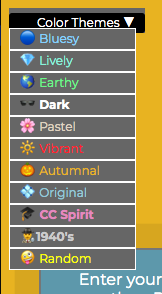
• You can select a color scheme at any time (even before you log in)
• "Random" will select from ~16million different possible colors for each part of the
page
• The menu is on the upper left of the screen:
Q: How do I login?
A:
• Just click the Sign-In with Google Button
• If you don't see that button, try the Safari browser instead of Chrome
• If it still doesn't work, contact your teacher (you must be registered by Mr. Beckwith to
login)
Q: What if I'm not a CCHS student?
A:
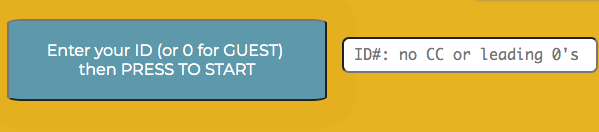
• That's okay! You can login as GUEST
(you won't be able to submit your answers
to the teacher though)
Q: Can I do an assignment again?
A:
• Yes! Login as GUEST and you can try the problems from scratch
(you may need to refresh if you just submitted)
(you won't be able to submit your answers to the teacher as Guest)
Q: Can I see my previous answers for an assignment I already submitted?
A:
• Yes! Log in again to the same assignment and you'll see all your old
work
(you won't be able to resubmit any new answers to the teacher, though, since you've already
submitted)
Q: Can I see a summary of how I did on previous assignments?
A:
• Yes! Log in to any assignment and you'll see an icon at the top to access
this information:

It will show you this
information:

Q: What does the teacher see?
A:
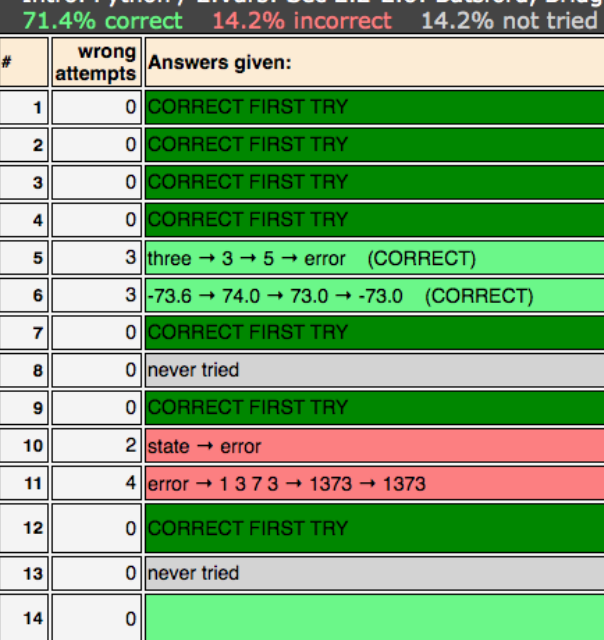
• Your teacher sees a summary of the assignment:
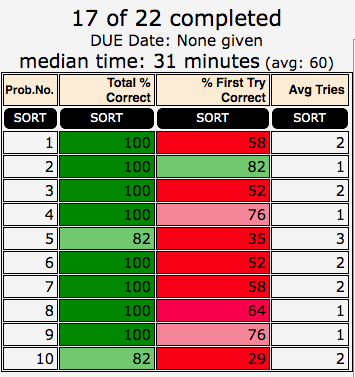
• ...and a summary of your work:
Q: What do I do if something goes wrong?
A:
• Don't panic!
• If you get a message from CheckIt saying that something has gone wrong and showing you
all your work, you should take a screenshot of your work and send it to your
teacher
• Your teacher may ask you for information about what happened when you got the error
message as a way track down any problems and fix them as soon as possible
Q: Can I get a printable version of the page?
A:
• Yes! Just click on the Printer icon and follow the instructions:

Q: What other features are there?
A1:
• If you click the picture of the clock:
...it will show you in the top right corner how long you have been working on the
assignment:
 A2:
A2:
• Instead of clicking the Submit button on each question, you can hit ENTER and it will
submit for the problem you are working on:
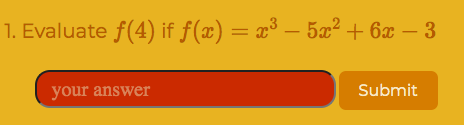
(you can also hit TAB to move to the next blank after that)
A3:
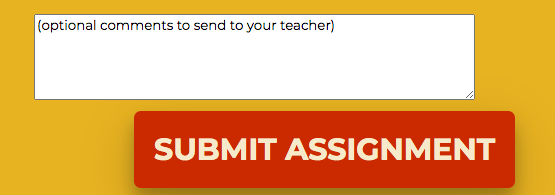
• If there is a problem or there is something you want to say to your teacher about the
assignment, use the Comment box:
Q: How was this site created?
A:
• a CCHS Math Dept. member suggested the idea and it was created collaboratively within the
Math dept.
• the site was coded in HTML, CSS, and JavaScript, with Python and Shell scripts used to
help automate some
processes
• many features and enhancements came from student and teacher ideas & feedback
CONTACT:
anthronyrbeckwith@gmail.com